QUALITY CONTROL · 7 MIN READ
AI photo editing still needs human QC: what to inspect
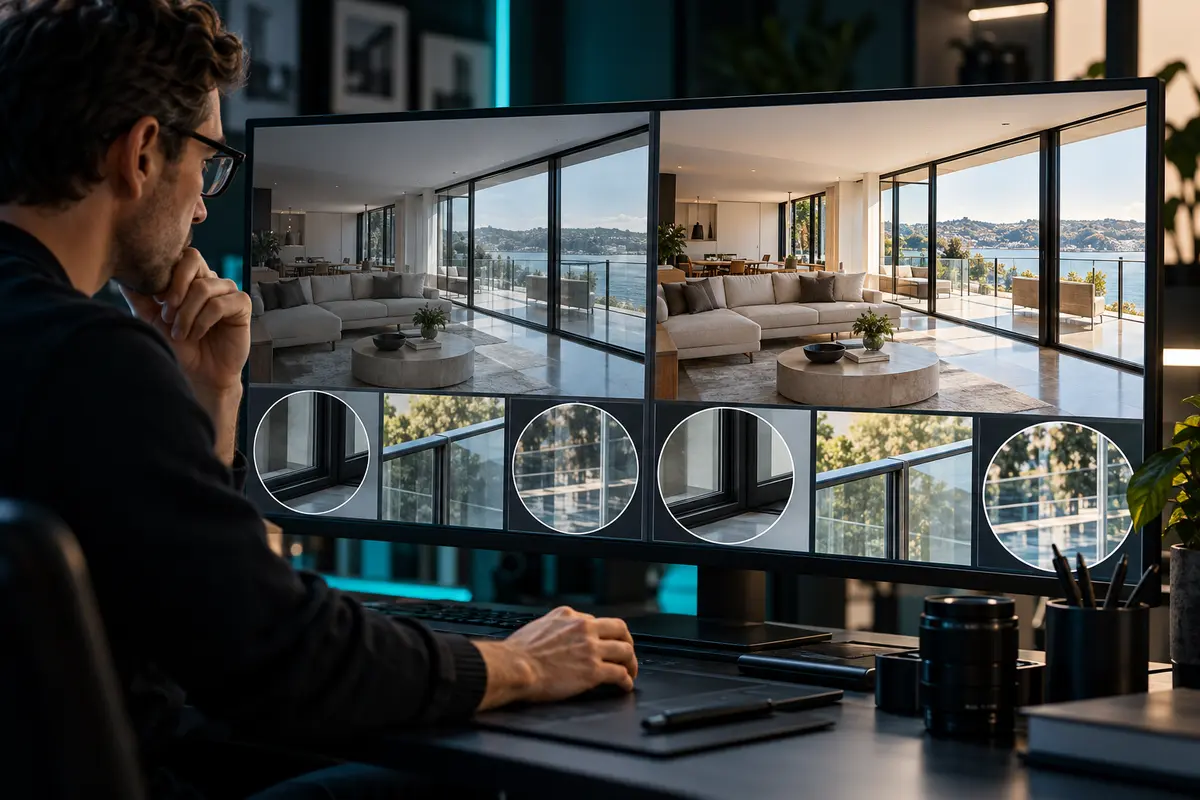
Automation may speed part of an editing workflow, but the delivery decision remains a human responsibility. The reviewer must distinguish an attractive image from a faithful, complete and correctly exported property set.
QUICK ANSWER
Review AI-assisted property photos against the source capture and the agreed editing brief before delivery. Check property fidelity, window and reflection treatment, color consistency, alignment, masking and blend edges, repeated or invented details, authorized object removal, sequence completeness and export settings. A fast visual pass is not enough for ambiguous areas; zoom in and compare the source.
Start with property fidelity
Compare the edited image with the source. Look for changed fixtures, warped architecture, duplicated patterns, inconsistent reflections or details that were introduced rather than corrected. Pay special attention to mirrors, railings, windows, foliage and repeated textures.
The acceptable level of alteration comes from the client brief and studio policy. When an edit could misrepresent the property, stop and escalate instead of making an assumption.
- Straight lines remain plausible and intentional.
- Permanent property features are not invented or removed.
- Window content and reflections do not create false details.
- Repeated textures do not reveal duplicated or melted patterns.
Inspect edit boundaries and consistency
Zoom into high-risk edges: window frames, sky lines, furniture boundaries, railings and mixed-light transitions. Check halos, rough masks, ghosting and local color shifts. Then zoom back out and compare adjacent images for exposure and color continuity.
A single frame can pass in isolation while the full room sequence changes white balance or brightness from angle to angle. Review the set, not only individual favorites.
| Review area | Common failure signal | Decision |
|---|---|---|
| Blending | Halos, ghosting or clipped edges | Return the affected frame |
| Color | Walls or fixtures shift across a sequence | Align to the approved reference |
| Geometry | Warped lines or stretched objects | Compare source and correct |
| Content | Added, removed or duplicated detail | Escalate against the brief |
Confirm the ordered set and exports
Match the review set to the shot list or expected service output. Confirm that every intended room and variant is present, filenames identify the job, and export dimensions, color space and file type follow the current delivery specification.
Do not treat a successful download as proof of completeness. Open representative exports and confirm they are readable and are the approved versions.
Record a revision that an editor can act on
Reference the exact file, location and observed issue. State the expected correction without prescribing an unsafe or misleading alteration. Keep the proposed edit, source reference and corrected version connected for re-review.
PhotoTrackly is not presented here as an AI image editor. Its planned role is workflow coordination around assignments, production, review and delivery.
- File: identify the exact frame and version.
- Issue: describe what is visibly wrong.
- Reference: point to the source or approved style rule.
- Owner and time: name who corrects and who rechecks.